
If you use M-Pesa in Kenya, the fee you pay depends on two things: how much you move and what you do with it. The short version: sending up to Ksh100 is free, deposits are always free, and both sending and withdrawing scale up in tiers as the amount grows. The M-Pesa charges 2025 schedule that Safaricom set has carried over unchanged into 2026, so the rates below are what you actually pay today. This guide lays out every tier for sending, agent withdrawals, and ATM withdrawals, plus the free services and the limits that quietly affect how you transact.
One detail worth knowing up front: every fee shown already includes the 20% excise duty applied to M-Pesa transactions under Kenya’s Finance Act. There’s no hidden charge added at the counter.
How M-Pesa Send Money Charges Work
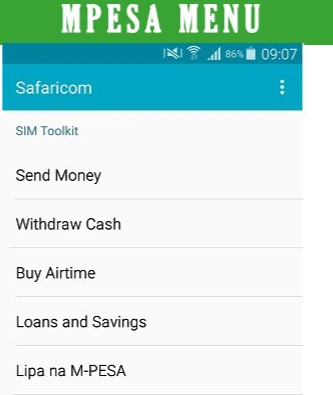
Sending money follows a tiered structure, not a percentage. The fee is fixed within each amount band, so a single transfer of Ksh2,000 costs the same whether you send it at the bottom or top of its tier. Transfers below Ksh100 are free, a deliberate move to keep small everyday payments cheap.
A meaningful change in recent years is cross-network harmonisation. Sending to a registered Airtel Money or T-Kash user now costs exactly the same as sending to another Safaricom M-Pesa user, and the same rate also covers Pochi La Biashara and Business Till to Customer transfers. Sending Ksh500 costs Ksh7 regardless of the recipient’s network. Note that transfers to unregistered numbers are disabled — an anti-fraud measure — so the recipient must be registered to receive money.
| Amount (Ksh) | Send money | Agent withdrawal |
| 1 – 49 | Free | N/A |
| 50 – 100 | Free | 11 |
| 101 – 500 | 7 | 29 |
| 501 – 1,000 | 13 | 29 |
| 1,001 – 1,500 | 23 | 29 |
| 1,501 – 2,500 | 33 | 29 |
| 2,501 – 3,500 | 53 | 52 |
| 3,501 – 5,000 | 57 | 69 |
| 5,001 – 7,500 | 78 | 87 |
| 7,501 – 10,000 | 90 | 115 |
| 10,001 – 15,000 | 100 | 167 |
| 15,001 – 20,000 | 105 | 185 |
| 20,001 – 35,000 | 108 | 197 |
| 35,001 – 50,000 | 108 | 278 |
| 50,001 – 250,000 | 108 | 309 |
Notice that the send fee flattens at Ksh108 once you cross Ksh20,000. Past that point, sending larger amounts costs no more, which makes one bigger transfer cheaper than several mid-sized ones.
M-Pesa Withdrawal Charges at an Agent
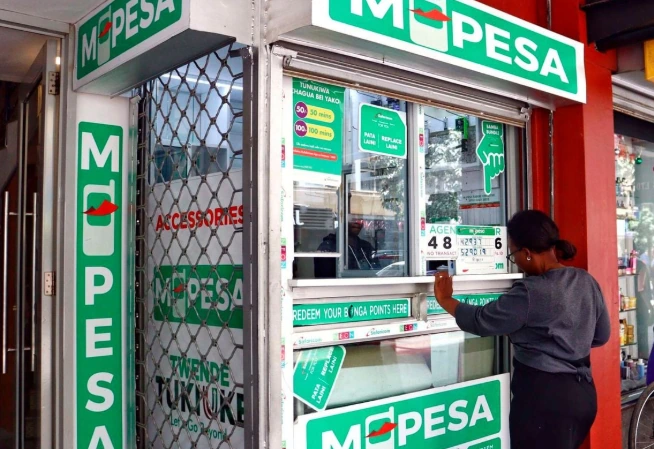
Agent withdrawals are shown in the right-hand column above, and they behave differently from send fees. You can’t withdraw less than Ksh50 at an agent, and amounts under Ksh50 carry no agent option. From Ksh50 to Ksh100 the fee is just Ksh11, then it settles at Ksh29 across the entire Ksh101–2,500 range before climbing.
The pattern matters for planning. Because the Ksh29 fee covers everything up to Ksh2,500, withdrawing Ksh2,500 in one go is far more efficient than pulling out Ksh500 five separate times, which would cost Ksh145 in total. At the top end, withdrawing between Ksh50,001 and Ksh250,000 carries a Ksh309 fee. With over 160,000 agents countrywide, access is rarely the problem — fee efficiency is.
M-Pesa ATM Withdrawal Charges
You can also withdraw M-Pesa cash from partner bank ATMs by generating a withdrawal code on your phone, no card required. ATM tariffs use their own, simpler table:
| Amount (Ksh) | ATM fee (Ksh) |
| 200 – 2,500 | 35 |
| 2,501 – 5,000 | 69 |
| 5,001 – 10,000 | 115 |
| 10,001 – 35,000 | 203 |
Two limits shape ATM use: the minimum withdrawal is Ksh200 and the maximum per transaction is Ksh35,000. Compare the tables and a clear rule emerges — for small cash-outs, agents are usually cheaper (Ksh11–29 versus Ksh35 at an ATM), while ATMs become competitive only on larger amounts where you’d otherwise queue at an agent. If you’re pulling Ksh2,000, an agent saves you money; the ATM mainly buys convenience and privacy.
Free M-Pesa Transactions
Several of the most common actions cost nothing, which is easy to forget when you’re focused on fees. These are free for customers across the board:
- All deposits into your wallet at any agent outlet.
- M-Pesa registration.
- Buying airtime through M-Pesa.
- Balance enquiries.
- Changing your M-Pesa PIN.
Lipa na M-Pesa Buy Goods (paying a till number) is also free for the customer — the merchant absorbs the fee on their end. That makes paying by till cheaper than withdrawing cash to pay, a small habit that adds up over a month.
Limits and Rules That Affect Your Transactions
Beyond fees, a handful of caps and rules govern what you can do. The maximum you can hold in your wallet is Ksh500,000, and your total daily transaction value is also capped at Ksh500,000. A single transaction — sending or withdrawing — can’t exceed Ksh250,000.
A few operational rules catch people out:
- You can’t deposit cash directly into another person’s M-Pesa account at an agent; deposits go into your own wallet first.
- For a self-reversal of a wrong transaction, forward the confirmation message to 456.
- At agent outlets, registration accepts only Kenyan National IDs and passports. Foreign passports, military IDs, and certificates work only at Safaricom Shops and Care Desks, though they’re valid for deposits and withdrawals anywhere.
For support, PrePay customers dial 100 and PostPay customers dial 200, with self-service on *234#.
How to Keep Your M-Pesa Fees Low
Small choices change what you pay over a month. The send schedule and withdrawal tiers reward a few simple habits:
Consolidate withdrawals to the top of a tier rather than making several small ones, since each withdrawal carries its own fee. Pay merchants by Buy Goods till instead of withdrawing cash, because the till payment is free for you. Keep recipients registered so transfers go through at standard rates. And when you do need cash, check the amount against both tables — agents win on small sums, ATMs only make sense for larger withdrawals or when no agent is nearby.
Bottom Line for Everyday Users
The rates here reflect the M-Pesa tariff in force as of 2026, unchanged from 2025, with excise duty already built in. For most people the practical lessons are the same: send under Ksh100 for free, lean on free services like deposits and till payments, and batch your withdrawals to avoid paying the same tier fee twice. Keep this tariff handy, check it before any large transfer, and you’ll rarely be surprised at the counter — Safaricom updates these tables periodically, so it’s worth a quick look whenever you move serious money.